
Memory Notes manual
Memory Notes helps you keep track of the little things. Record or type a note, then ask a question to find it later. You can also connect AI assistants to your notes. This manual covers each part of the app.
Updated October 29, 2026
The three app tabs
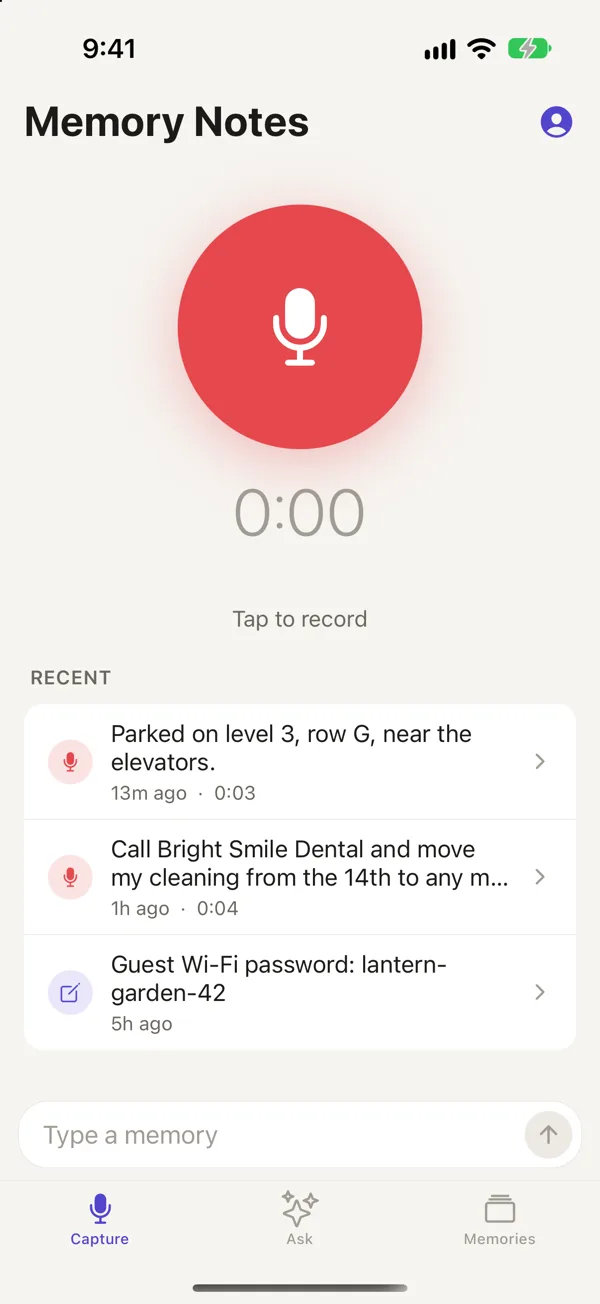
- Record or type a note in Capture.
- Ask questions about your notes in Ask.
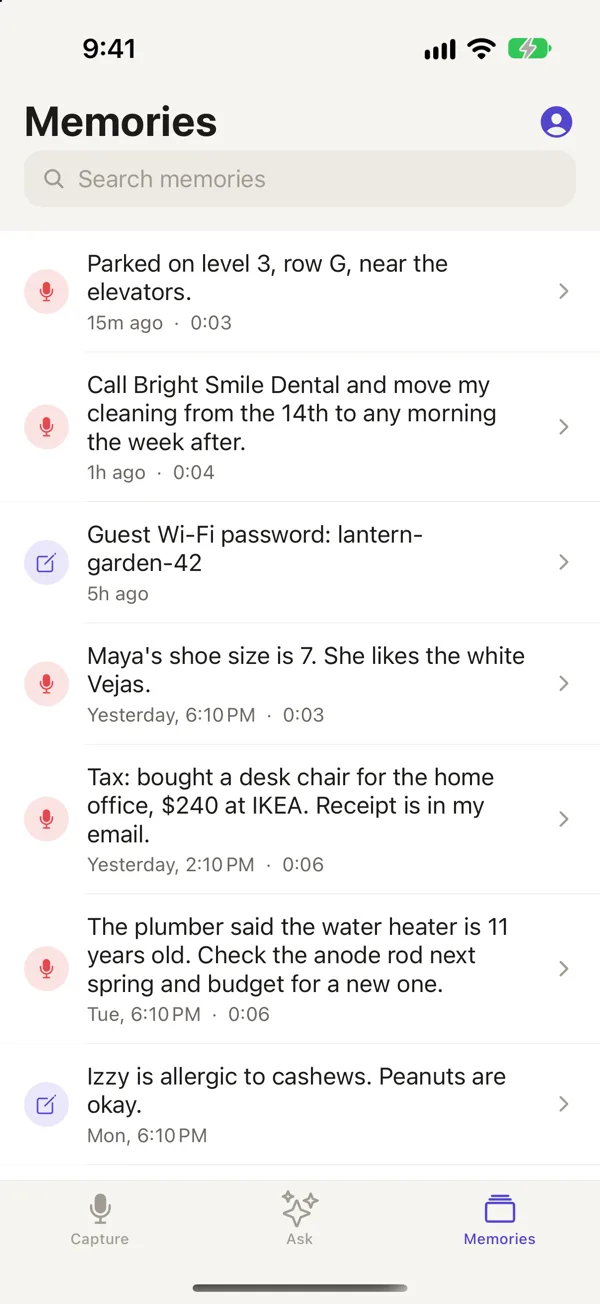
- Browse and search all your notes in Memories, with the newest first.
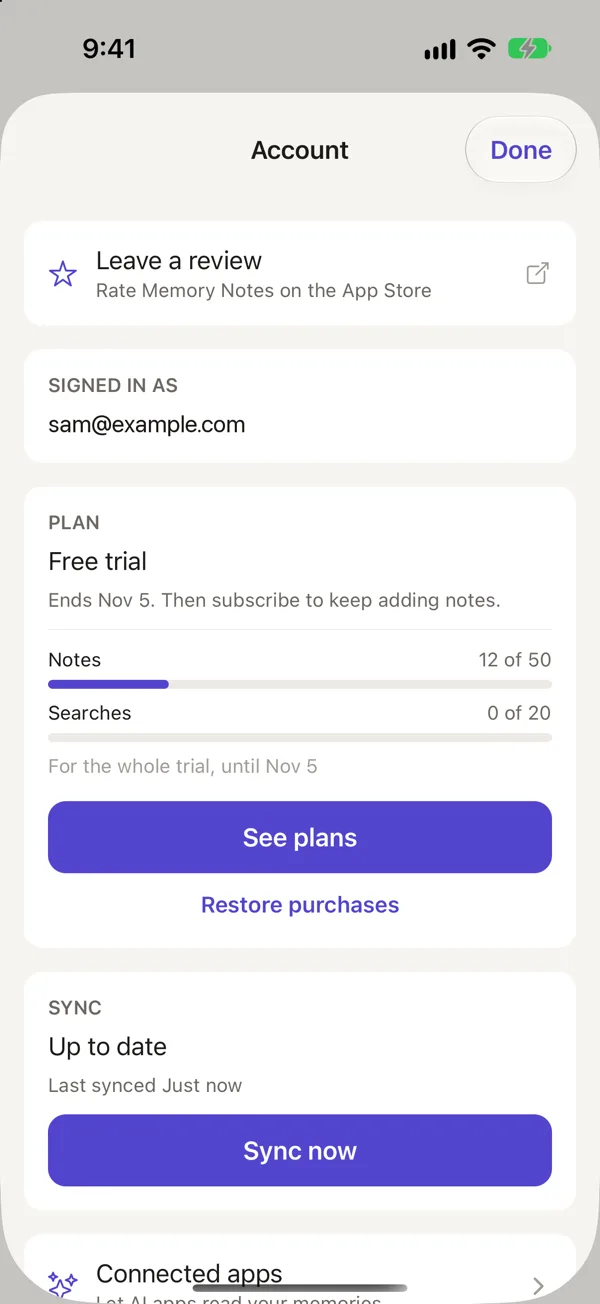
Tap the person icon at the top to open Account. There you'll find sign-in, sync, your plan, connected AI apps and account deletion.
How to capture a note
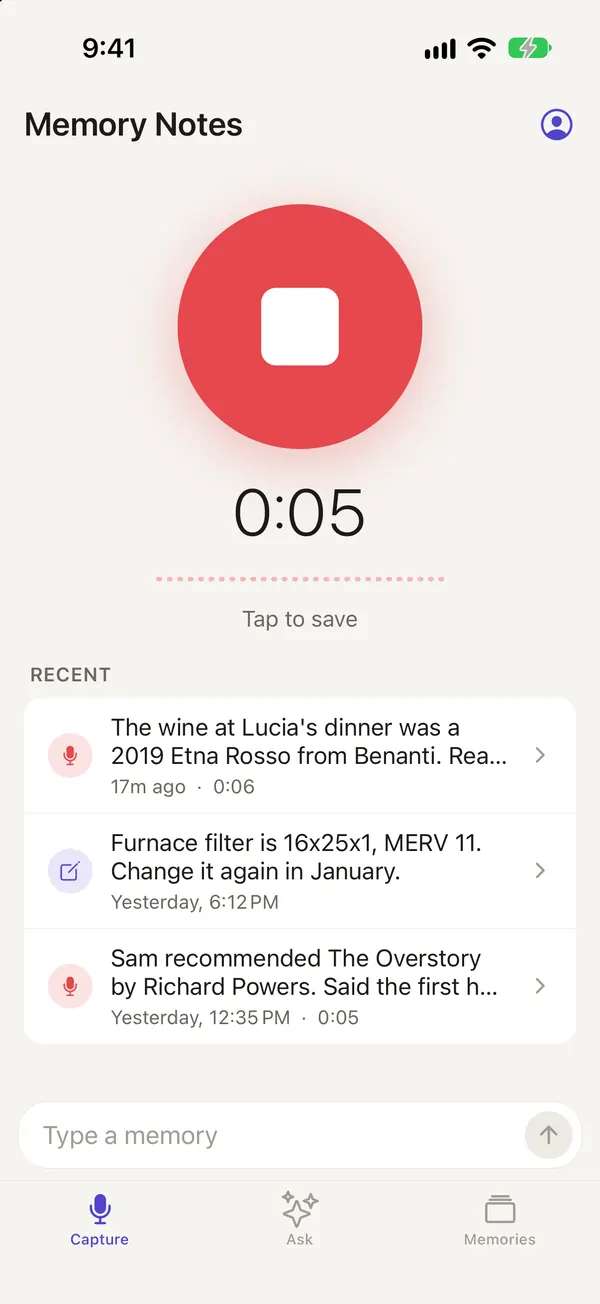
You can start a voice note five ways: press the Action Button, use the Record Memory control in Control Center, tap a Lock Screen button, ask Siri to "Record a memory in Memory Notes," or tap the record button on the Capture tab. To finish, tap Stop or press the Action Button again. For setup steps, see Record with the Action Button and Other ways to capture a note.
If you'd rather type, use the Type a memory box at the bottom of the Capture tab and tap the arrow.
Recording transcripts
Your iPhone or iPad uses Apple's speech recognition to transcribe each recording on the device, even offline. The first time, iOS may need to download a speech model for your language. If you're signed in, a recording may also be sent to our speech-to-text and AI providers to make a cleaner transcript. That transcript replaces the first one unless you've already edited it. The audio stays available, so you can play the original.
Using the Memories list
- Voice and typed notes appear together, newest first.
- Use search at the top to filter the list by words in your notes.
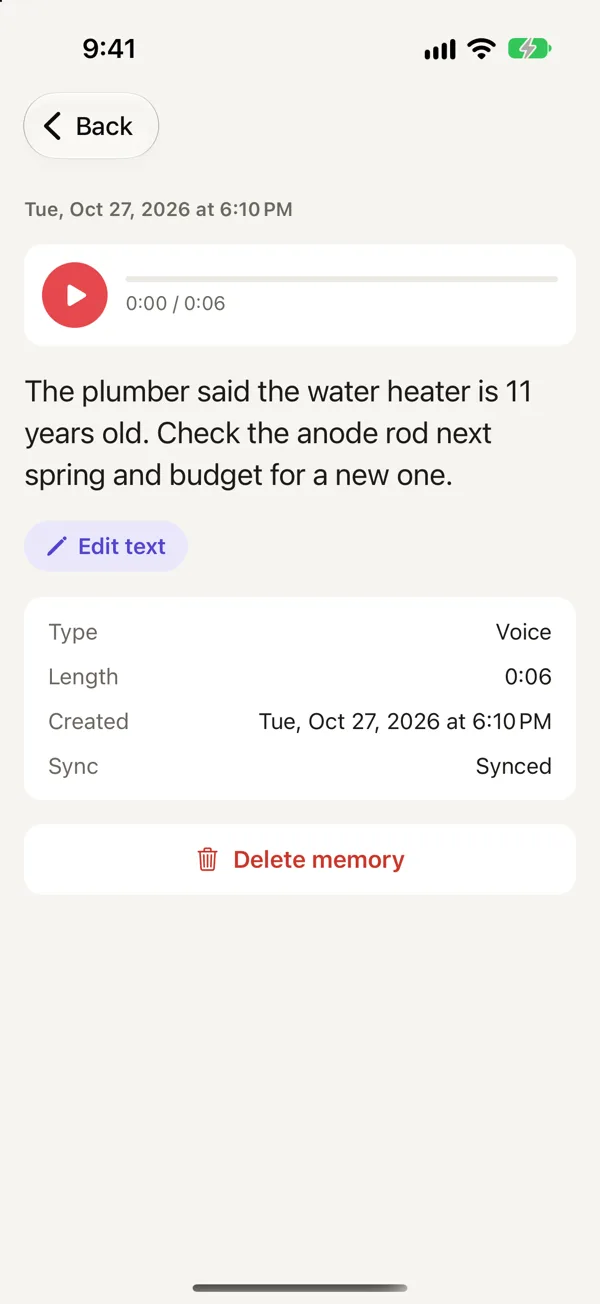
- Tap a note to read it, play its recording or edit the text.
- To delete a note, swipe left or open it and tap Delete memory.
Ask questions about your notes
On the Ask tab, type or say a question. Memory Notes answers using your notes and shows which ones it used. You'll need an account and a connection to use Ask. Read more in Ask your notes a question.
Account and sync
You can capture notes without an account, and they'll stay on that device. To sync between your iPhone and iPad, use Ask and connect AI assistants, sign in with your email and a one-time code. There's no password. Notes saved before you sign in are kept and begin syncing too.
Sync happens automatically whenever you're online. You can check whether you're up to date on the Account screen, or tap Sync now to run it right away.
Connecting AI assistants with MCP
You can connect Claude, ChatGPT, Cursor and your own agents to your notes over MCP. They can list, read, search and ask your notes. With write access, they can save new notes too. Manage access tokens and connected apps in Account → Connected apps. To get started, see Connect Claude to your notes, or visit the full AI assistants reference.
Plans and limits
- Your first 7 days are free, with up to 50 notes and 20 searches. You don't need a card.
- Regular costs US$1.99 a month and includes 200 notes and 150 searches.
- Heavy costs US$4.99 a month and includes 1,000 notes and 300 searches.
- Each new memory counts as a note, whether spoken, typed or saved by an assistant. A search is a question in Ask or a search from an assistant.
- Limits reset on the 1st of each month. Without a plan, the app is read-only, but you can still open, play, edit and delete everything.
Go to Account → Plan to subscribe, switch or restore. To cancel, use your Apple ID settings. You'll find more details on the support page.
Your privacy
We don't sell your data or show ads. If you have an account, your notes and recordings are stored on our servers for syncing. When you use Ask or a connected assistant searches, your question and the related notes are sent to our AI providers to answer it. See the privacy policy for a list of every provider and what they receive.
How to delete your account
Go to Account → Delete account and type DELETE. Everything is erased from our servers and the device right away. Deleting your account won't cancel an App Store subscription. To cancel it, go to your Apple ID settings.
Questions
Can I use Memory Notes offline?
You can record, transcribe and browse offline. Ask needs a connection, and your notes sync when you're online again.
Is Memory Notes available on Android or the web?
Not yet. Memory Notes is available for iPhone and iPad on iOS 26 or later. AI assistants can access your notes from any platform over MCP.
How can I export my notes?
A connected assistant can list and read all your notes, so you can ask Claude or your own script to export them. Email support if you'd like a full copy of your data.
Memory Notes for iPhone and iPad
Record a note by voice in a second or two, then find it by asking a question. Memory Notes answers from your notes and shows you the one it used. For iPhone and iPad.