
Connect Claude to your notes
Memory Notes has an MCP server, a standard way for AI assistants to connect to other apps. Once connected, Claude can look through your notes when you ask a question and save new notes if you give it permission. Setup takes about a minute.
Updated October 29, 2026
You say it
Action Button, Siri, Control Center or typing.
Memory Notes
Saved, transcribed and synced to your account.
MCP server
https://memorynotes.emodino.com/api/mcpYour AI
Claude, ChatGPT, Cursor or your own agent.
Before you connect Claude
You'll need a Memory Notes account. In the app, tap the person icon at the top, enter your email, then enter the code we send you. You don't need a password.
Connect Claude on the web, desktop or phone
- Open Claude and go to Settings → Connectors, then choose Add custom connector.
- Enter Memory Notes as the name and paste
https://memorynotes.emodino.com/api/mcpas the URL. Press Add, then Connect. - When the Memory Notes sign-in page opens, enter your email and the code we send you.
- Choose what Claude can do. Reading is always on. To let Claude add notes, tick Save new memories. Then press Allow.
Connectors added on the web also appear in the Claude desktop and mobile apps. For Team and Enterprise plans, an owner must first add the connector in the organization settings.
Connect Claude Code
Run this in a terminal:
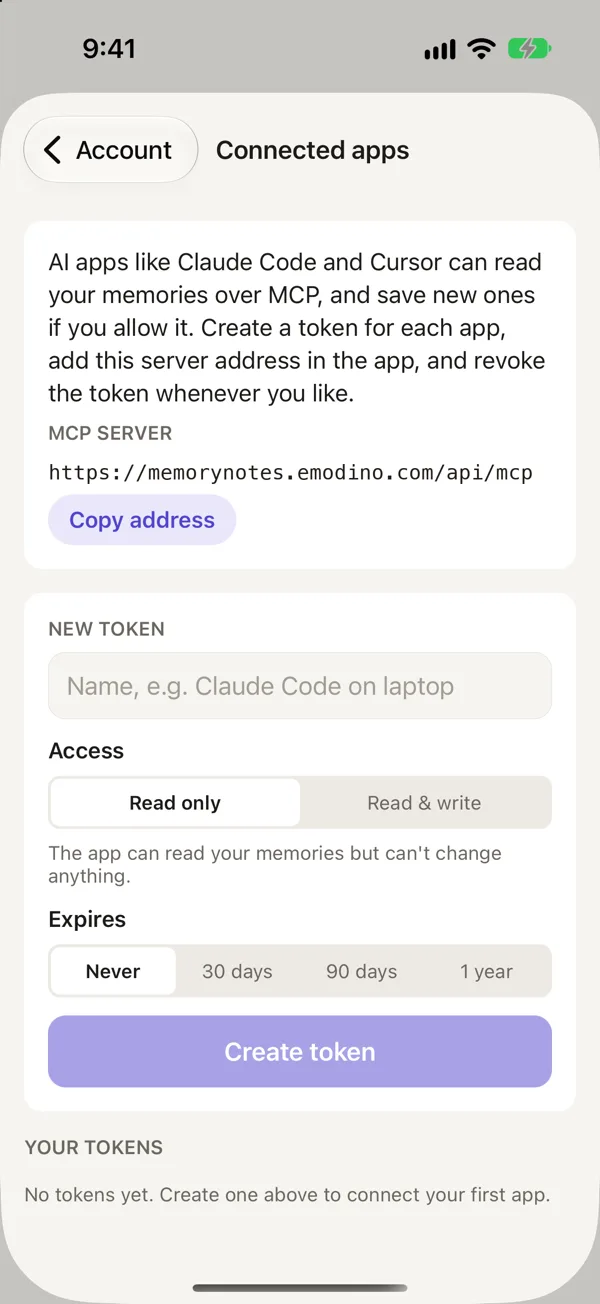
claude mcp add --transport http memorynotes https://memorynotes.emodino.com/api/mcpNext, run /mcp in Claude Code, select memorynotes, and choose Authenticate. To use the connector in every project, add --scope user to the command. You can also use an access token from Account → Connected apps. The app copies the full command for you.
Things to ask Claude
Look through my memories for the kids' allergies and plan five dinners for next week.
What did I write down about the car's last service?
Save a memory: the guest Wi-Fi password is on the fridge, not on the router.
Claude decides when to look through your notes. If it doesn't, try saying "check my memories" or "use Memory Notes".
What Claude can and can't do with your notes
- Claude can list and open your notes, search them by meaning, and ask questions about them with citations.
- With write access, Claude can save new text notes. You'll see them in the app after the next sync.
- Claude can't edit or delete notes, and it never sees deleted notes.
- Searches and questions count toward your monthly search limit, which is shared with Ask in the app. Listing and reading notes don't count.
For the full reference, including Cursor and your own agents, visit the AI assistants page.
Questions
Can Claude see all my notes?
Claude can read your notes when it calls a Memory Notes tool, which it does when your request needs them. Anthropic's privacy policy covers what Claude does with them afterward.
How can I disconnect Claude?
Remove the connector in Claude's settings. A connection also stops working on its own after 30 days without use. You can revoke access tokens in Account → Connected apps.
Memory Notes for iPhone and iPad
Record a note by voice in a second or two, then find it by asking a question. Memory Notes answers from your notes and shows you the one it used. For iPhone and iPad.